
How to add new tags to home ed activities in Strew
Strew is designed to be as flexible as possible, without adding too much complexity to home educating parents lives. One of Strew’s most useful features is the ability to tag activities with any number of tags.
This knowledgebase article is designed to help you through the steps to adding your own tags and using them in Strew to generate custom home education reports, or filter your family feed!

Adding New Tags
Adding new tags when adding an activity
It’s really easy to add tags to activities in Strew, but sometimes the first step isn’t obvious! Follow this guide to learn how to add your own new tags to Strew activities:
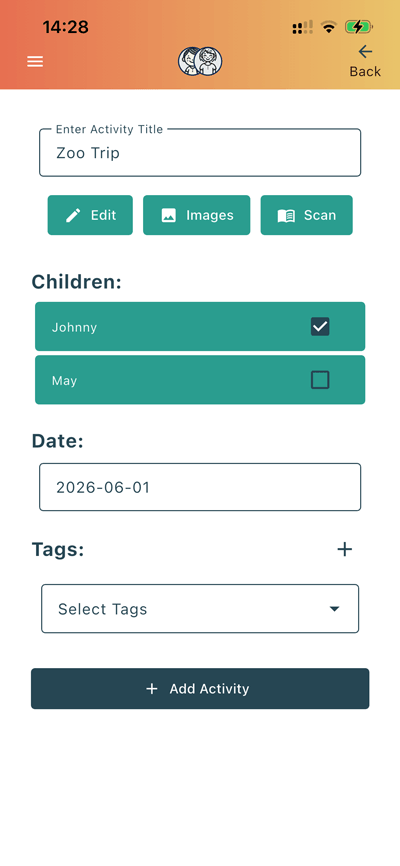
1. Tap +
When adding an activity, press the ‘+’ Button next to ‘Tags:’
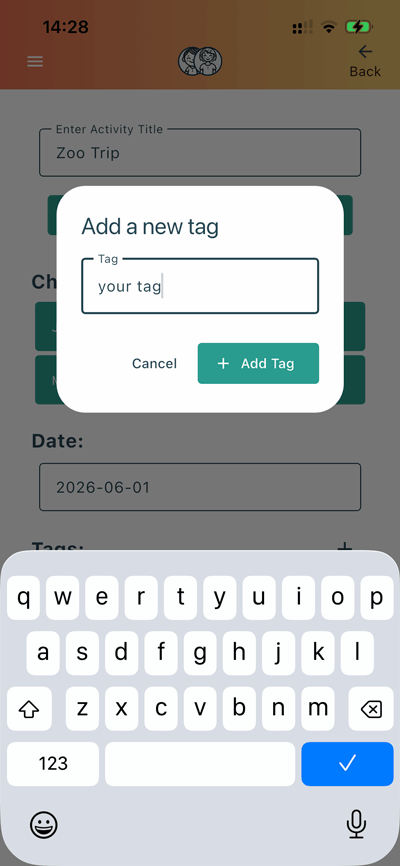
2. Type your tag
Next tap into the ‘Tag’ box and type the tag you want to create & assign to this activity.
3. Tap ‘+ Add Tag’
After you’re happy with the tag you’ve added, simply tap ‘+ Add Tag’ and then you’ll see on the main activity add screen your new tag is added.
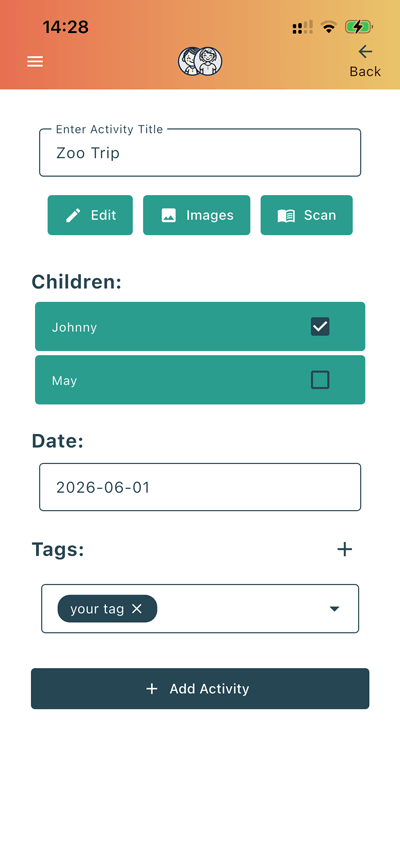
That’s it! It’s as simple as that, you can now use your tags to filter activities on your feed or when generating reports.
Filtering home ed Feed & Reports by tag
Once you’ve added your own tags, you’ll then be able to filter your feed (or report outputs) by that tag.
Filtering home ed feed by custom tag
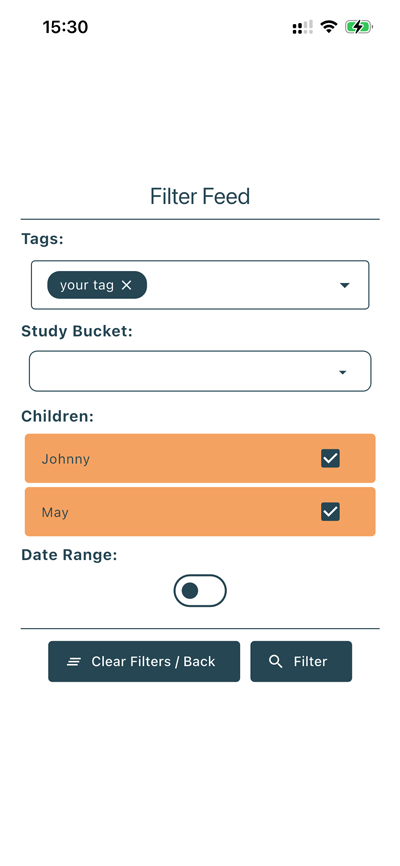
To view a feed of ONLY activities with your new custom tag simply tap ‘Filter’ at the top right of the Strew feed home screen.
From there you can select your tag under ‘Tags’ and tap ‘Filter’
You’ll then see a filtered feed of activities tagged with your new tag.
Generate Home Ed Report using your custom tag
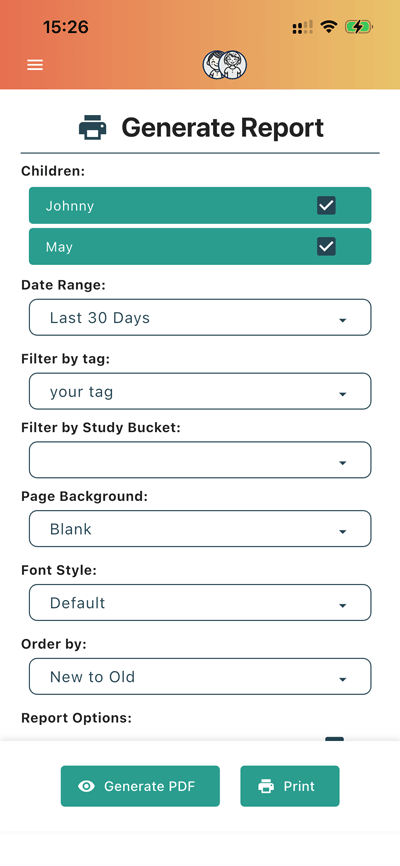
To generate a home ed report with only activities you’ve tagged specifically, first go to ‘Reports’ from the side menu.
From there you can select your tag under ‘Filter by tag:’ and tap ‘Print’ or ‘Generate PDF’
You’ll then get a report of activities tagged with your new tag, (which matches the other filters you’ve selected in the reports screen).

If you have any questions, issues with Strew; printing or otherwise, please Contact Us. Likewise if you’d like a knowledgebase article on a specific Strew feature, just let us know!