
Strew’s ChatGPT UK Home Education Report Helper helps you turn rough notes about your child’s home education into a clear, structured report.
It is designed for home educators in England, Wales, Scotland and Northern Ireland.
You can give ChatGPT your notes naturally, just as you would explain them to another person. You do not need to prepare a formal document first.
Note: This is an alternative to doing it the Strew app way, (which is much better), but we made this to be helpful to those who prefer chatting to AI about stuff.
We still recommend using the Strew App.
How to Add the Strew Plugin
From your ChatGPT screen:
- Open the Directory: Go to the ChatGPT sidebar or navigate to the plugins section, or click here.
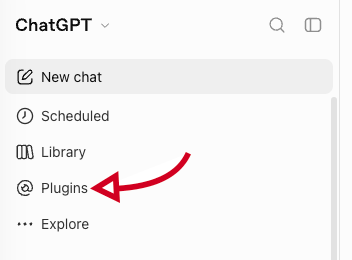
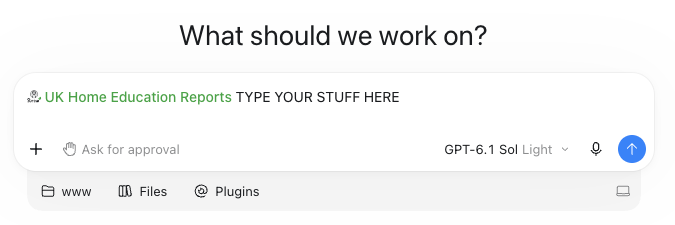
- Search “Strew” and find the “UK Home Education Reports” plugin
- Install and Connect: Click the plus icon or Install plugin, then where necessary, follow the prompts to sign in and authorise the connection.
- Invoke in Chat: Start a new conversation and use an @ mention (such as typing “@UK Home Education Reports”) or select the tool from the @plugins menu to activate it during your chat. After that just type all the info you want to include in a report!
How it works
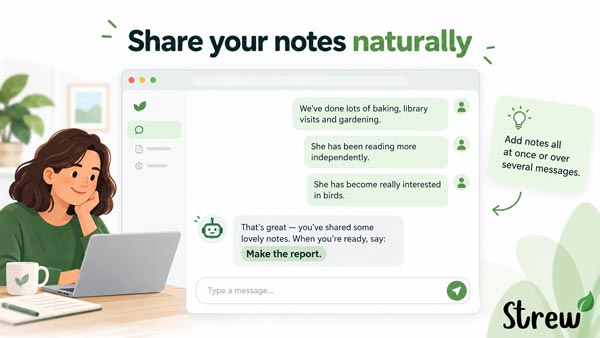
Once you have the plugin installed, just tell ChatGPT about the home education activities, interests and experiences you want included.
You can provide everything at once, or add information gradually across several messages.
For example:
We’ve done lots of baking, library visits and gardening. She’s also started reading more independently and has become really interested in identifying birds.
You can then add more information:
We also went rock pooling during the summer and she spent a lot of time looking up the animals we found afterwards.
When you’re ready, simply ask:
Make this into a home education report.
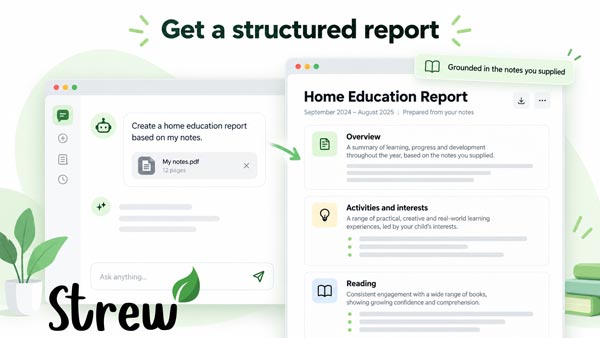
ChatGPT can then send the relevant information to Strew’s report tool, which creates a structured report from the facts you supplied.
What information is useful?
You can include anything that genuinely reflects your child’s home education.
Useful examples include activities, interests, books, projects, outings, practical tasks, hobbies, conversations, online learning, groups, physical activities and changes you have noticed over time.
You do not need to cover every possible area.
The tool works with all home ed styles: structured, semi-structured, child-led and autonomous approaches to home education.
Does it invent learning or progress?
It is designed not to.
The report helper works from the information you provide and is instructed not to invent activities, achievements, progress or evidence.
For example, if you say your child helped with baking, it should not automatically claim that they have improved their maths unless you actually supplied evidence of that.
You should always read through the finished report and edit anything that does not accurately reflect your experience.
What if I don’t have many notes?
You should have got Strew already! But anyway…
You can still create a report.
If you only have a small amount of information, the report will usually be shorter rather than being padded with invented detail.
ChatGPT may also suggest specific information you could add if you remember it.
For example, it might ask what books were read, what was built during a project, or what particularly interested your child during an outing.
Only add details you genuinely remember.
What reporting period should I use?
Where possible, use a clear date range such as:
January 2026 to September 2026
or:
June 2026 to August 2026
This makes the final report clearer than phrases such as “this term” or “recently”.
If you are unsure of the exact dates, you can edit the reporting period afterwards.
Can I use the report for my local authority?
The helper can create a clear report suitable for reviewing and editing before sharing.
However, it does not provide legal advice and cannot guarantee that a report will meet the expectations of every local authority.
Home education guidance and practice can vary across England, Wales, Scotland and Northern Ireland.
Always check that the final report accurately reflects your child’s education before sharing it.
Read more: Home Education Reports
Can I edit the report?
Yes.
The generated report is a starting point. You can copy it into another document, or you can just ask ChatGPT to change the wording, make sections shorter, add genuine details you remember, or reorganise the report.
The important rule is that edits should remain grounded in what actually happened.
Why use Strew as well?
The ChatGPT helper is useful when you already have notes and want to turn them into a report, but it is limited by the information you collect & its format.
The harder part is often remembering everything several months later.
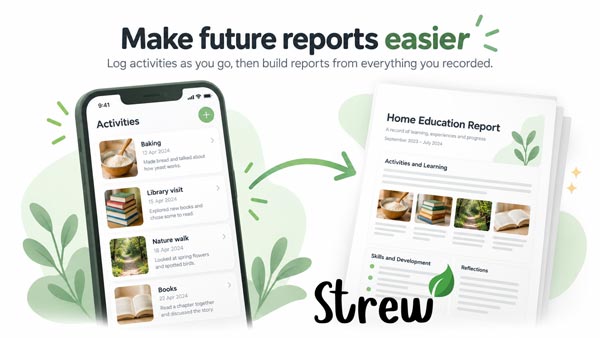
Strew lets you record learning as it happens, including activities, photos, books and observations. When report time comes around, you already have a record of what happened instead of trying to reconstruct it from memory.
Learn more about Strew:
https://strew.app/
More report help
Home Education Report Template
https://strew.app/home-education-report-template
Home Education Report Examples
https://strew.app/home-education-report-examples
Need help?
If the ChatGPT report helper is not working as expected, or you need help with Strew, contact us below.

If you have any questions, issues with Strew; printing or otherwise, please Contact Us. Likewise if you’d like a knowledgebase article on a specific Strew feature, just let us know!