
If your local authority asks for information about your child’s home education, you can respond with a clear written report explaining the education you are providing. There is no single required report format in England, so the aim is simply to give a useful picture of your child’s learning and how their education is suitable for them.
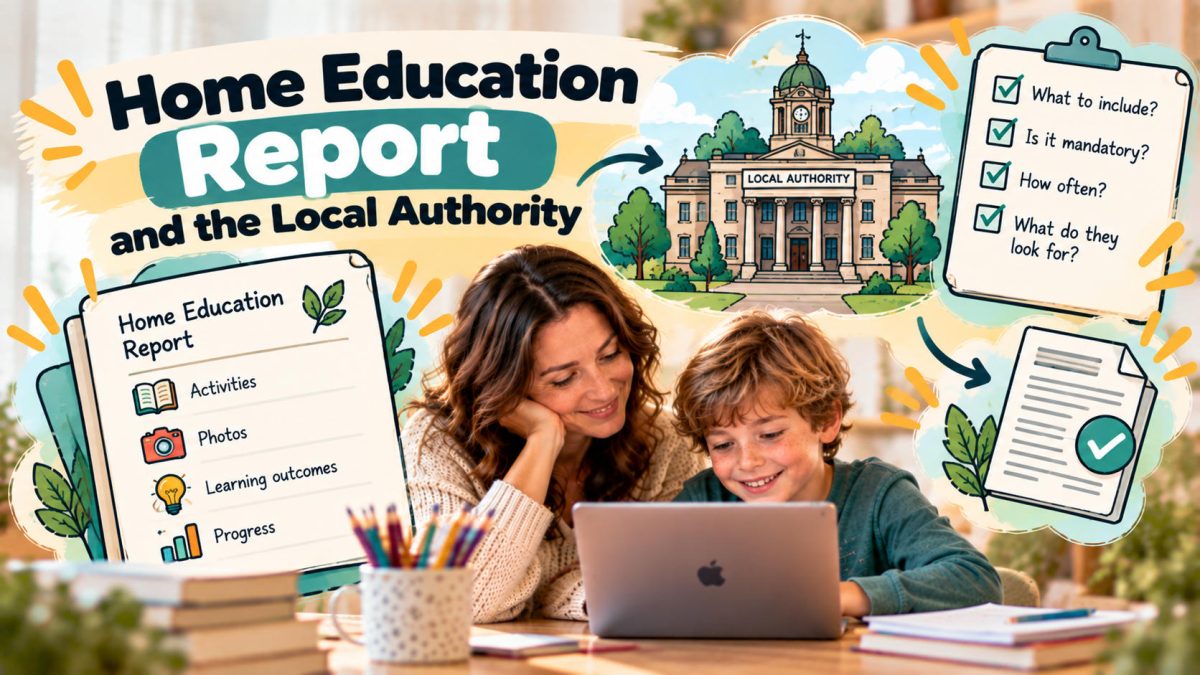
Do you have to send your local authority a home education report?
Not necessarily.
In England, local authorities have responsibilities relating to children who may not be receiving a suitable education, and they can make enquiries about the education being provided at home.
However, there is no standard “annual home education report” that every home-educating family is legally required to complete.
Department for Education guidance states that parents are not legally obliged to respond to informal enquiries or provide specific forms of evidence. However, if you provide insufficient information, the local authority may conclude that it appears your child is not receiving a suitable education and can take further steps.
If you want to understand this distinction in more detail, see Strew’s guide to home education law in the UK.
What can you include in a home education report?
There isn’t one prescribed format. A useful report can give a clear overview of what education actually looks like for your child.
Depending on your approach, that might include:
- learning activities and projects
- books and reading
- trips and practical experiences
- subjects or areas explored
- photos or examples of work
- skills and knowledge developed
- progress or changing interests over time
Home education does not need to look like school. Your report can reflect structured, child-led, project-based or everyday learning.
For more ideas, see what counts as evidence of learning or look through these home education report examples.
Creating a report from your learning records
The easiest time to prepare a report is before you’re asked for one.
Rather than trying to remember several months of learning at once, keeping short records as you go gives you something concrete to work from later.
This doesn’t need to mean documenting every activity. A selection of useful notes, photos, projects, books, trips and other examples can build a picture of learning over time.
Creating a local authority report with Strew
If you already record activities in Strew, you can turn those records into a PDF report directly from your phone.
Open Menu → Reports, then choose the child or children you want to include. You can filter your records by date, tags and areas of learning before generating the report.
The resulting report can include your recorded activities, photos and Study Points, giving you a chronological record of the learning you’ve logged.
You can read more about creating a home education report with Strew.
Strew doesn’t change your responsibilities as a home-educating parent, and a generated report isn’t a guarantee that a particular local authority will consider the information sufficient. It simply makes it easier to turn the learning you’ve already recorded into a clear document when you need one.
Video transcript
It’s that dreaded time of the year. The local authority has been in touch and asked for a report of all the learning that your children have been doing. You start to panic.
But don’t worry, the Strew app has got you covered.
If you’ve been using the Strew app, like many others now, to record what learning you’ve been doing with your home-educated children, there’s a really simple way to generate a report which you can then share with the local authority.
Disclaimer: this does not get rid of any responsibilities as a parent. It’s simply a tool to make your life easier.
All you’ve got to do is load the Strew app and click the three lines at the top left, which will take you to the menu. Click on Reports, and here you get a bunch of different options.
You can select whether you want a single child, both children, or whichever children you’re using the app for. You can then use tags and search different types of learning, or you can select the date. That could be the last seven days, the last year, the last three months or 30 days.
Then all you’ve got to do is click Generate Report.
This will take you to a page where you can save the file, and you’re doing this all through your phone.
When you open it, you’ve got a report that looks like this. In chronological order, it shows all of the work that you’ve been doing with that child and why.
You can even include Study Points, which is a really cool feature of the Strew app that allows you to monitor your child’s progress in certain subjects using points.
It can include photos. It can include as much information as you, as the parent, put into it.
And it doesn’t have to take long. It all starts with just logging those activities, and then you’ve got a report generated in seconds.
So if anybody comes knocking and asking for it, you can show them the amazing work that you’ve been doing with your children.



Leave a Reply